Page
Map Scout: Agentic AI Solution for Dynamic Map Updates
Physical Performance Analyzer is an Intellias AI-enabled in-vehicle infotainment system testing accelerator that replaces two-person stopwatch tests with repeatable, frame-level measurement of visual and audio events in infotainment systems
Measuring how quickly an in-vehicle infotainment (IVI) system responds often requires one tester to trigger an event and second one to time the result manually. Human reaction time makes these infotainment testing measurements variable and limits their ability to reveal small performance regressions.
Physical Performance Analyzer transforms this automotive infotainment testing effort into an AI-enabled and connected recording, analysis, and reporting pipeline. Testers describe the start and stop events in conversational language while AI models find the corresponding moments in video or audio. Physical Performance Analyzer then calculates the interval and produces a report that can become part of an automated CI/CD testing and validation workflow.
Modern IVI systems must respond consistently across vehicle platforms, software versions, and configurations. Yet many physical performance checks still depend on manual timing or narrowly scripted automotive infotainment testing tools that are difficult to reuse.

Stopwatch measurements depend on how quickly a person notices and reacts to an event. Results can vary between testers and test runs, making it harder to compare performance consistently.

The manual process requires one tester to perform the action and another to time it. Repeating this setup across scenarios and configurations consumes engineering time that could be used for test design and investigation.

A stopwatch cannot reliably reveal differences smaller than a second. Small but real changes in startup or response time may remain unnoticed until later testing or customer validation.

Traditional automation often relies on code written for one predetermined event. Adding a new visual or audio KPI can require new detection logic and additional maintenance.

Recording, measurement, result checks, and reporting may remain separate manual steps, limiting how easily performance tests can run repeatedly within CI/CD.
A tester defines the beginning and end of a measurement in conversational language, such as “the door opens,” “the map is fully loaded,” or “the radio becomes audible.” Physical Performance Analyzer coordinates three AI models: a vision-language model (VLM) matches visual descriptions to video frames, PANNs classifies audio events across 527 sound categories, and a large language model (LLM) adapts each user description to the prompt or label format required by the specialist model.
AnalysisRunner orchestrates the complete infotainment system testing process and can combine visual and audio triggers in one test. For video, the system first finds roughly where the event happens, then narrows the search to the exact frame. The resulting timestamps are recorded in milliseconds, enabling repeatable, frame-level IVI response-time measurements with sub-second precision.

Reduce manual coordination — Replace synchronized two-person stopwatch sessions with a workflow managed by one tester.

Make measurements repeatable – Apply the same frame-level detection logic across testers and test runs.

Support diverse IVI events –Measure visual, audio, and mixed trigger combinations without building a separate infotainment testing tool for every scenario.

Enable continuous performance testing – eConnect uploads, analysis, reports, and notifications with established CI/CD processes.

Conversational language trigger definition – Testers describe what should start and stop the measurement instead of writing model-specific prompts or detection code.

Three-model AI orchestration – AnalysisRunner coordinates VLM frame analysis, PANNs audio classification, and LLM-based prompt and label adaptation.

Exact-frame timing with millisecond timestamps – A coarse sweep and binary refinement locate the precise trigger frame, supporting repeatable, sub-second IVI response-time measurements.

527-category audio classification – PANNs identifies what a sound represents, helping distinguish events such as radio playback and a button click even at similar volume levels.

Approximately 100 vs 1,800 VLM calls – The optimized coarse-to-fine search uses about 95% fewer calls than exhaustive checking of every frame in one minute of video.

About four-minute analysis on a single GPU – In the tested setup, the accelerator completed the analysis in approximately four minutes without requiring multi-GPU infrastructure.

Mixed trigger modes – A test can begin with a visual event and end with another visual event or an audio event.

Automated reports and notifications – Results can be exported to Excel and routed by email as part of the CI/CD workflow.
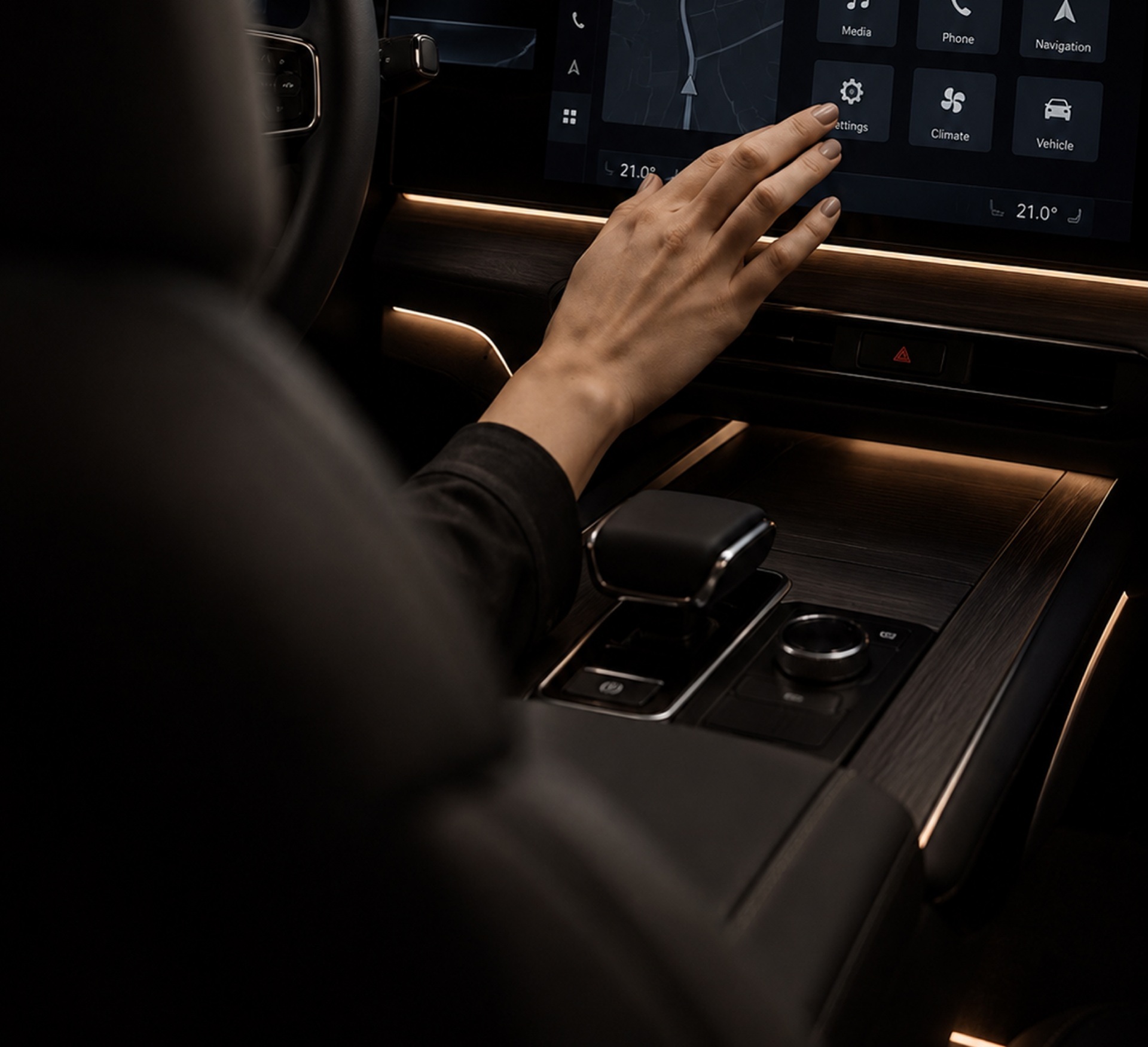
A test team needs to measure how long an IVI map takes to become fully available after a person opens the vehicle door. In this scenario, Physical Performance Analyzer supports visual-to-visual and visual-to-audio trigger combinations.
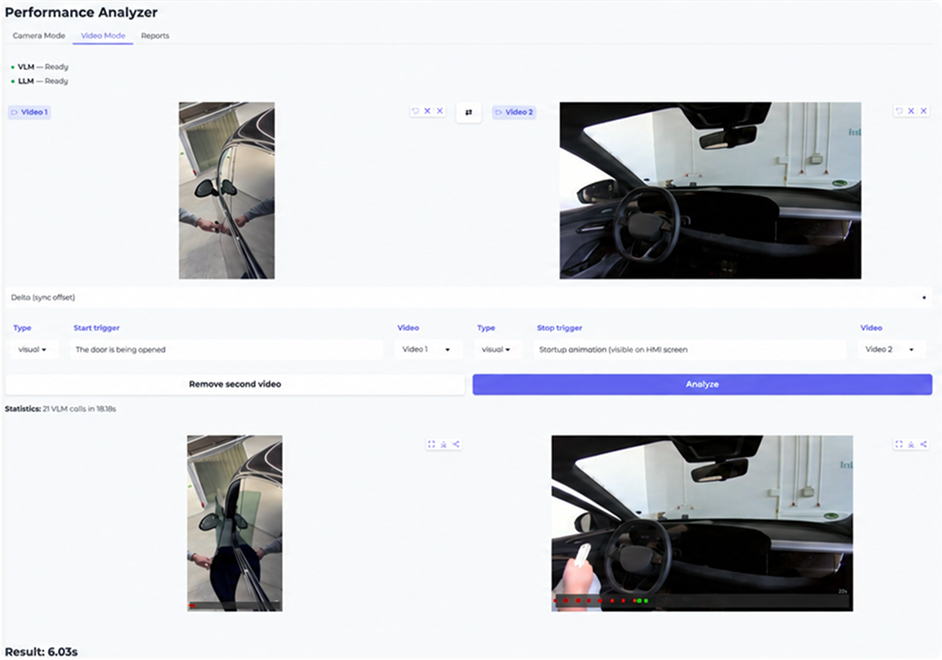
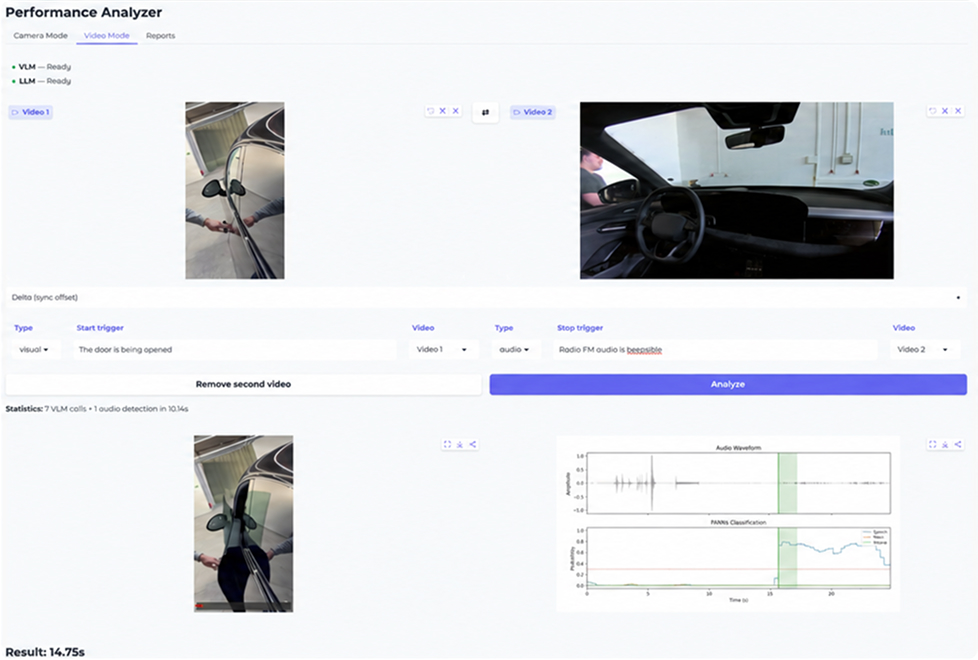
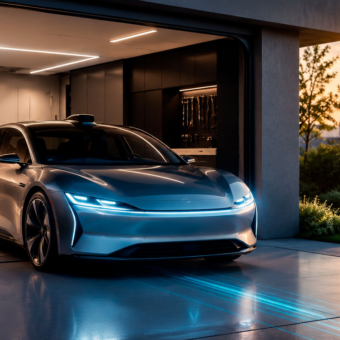
The tester defines “the door opens” as the visual start trigger and “the map is fully loaded” as the visual stop trigger.
Two cameras capture the external action and cockpit response, with embedded audio available for mixed-mode scenarios.
The videos enter the analysis workflow, where AnalysisRunner creates the visual and audio processing paths required by the test.
The VLM scans selected frames in large steps to locate the approximate point where each visual event occurs.
Binary refinement narrows the search until the accelerator identifies the exact trigger frame.
Physical Performance Analyzer calculates the interval between the two timestamps and generates the result report.
The same detection logic is applied to every run. The in-vehicle infotainment testing automation system identifies events at frame level and expresses the interval in milliseconds, delivering repeatable sub-second measurements without relying on human stopwatch reaction time.
The team receives a measured IVI response time and a report that can be compared across product builds. In the tested navigation scenario, manual stopwatch readings typically differed from Physical Performance Analyzer measurements by approximately one to three seconds due to human reaction time delay.
Physical Performance Analyzer connects vehicle recording, automated analysis, and result delivery in one workflow. A tester enters trigger descriptions in the web application, records the target events with two cameras, and uploads the video. Cloud storage and event-based infotainment automation testing pipeline can start analysis on local or on-premises GPU infrastructure, after which results are returned to the user and exported as an Excel report.
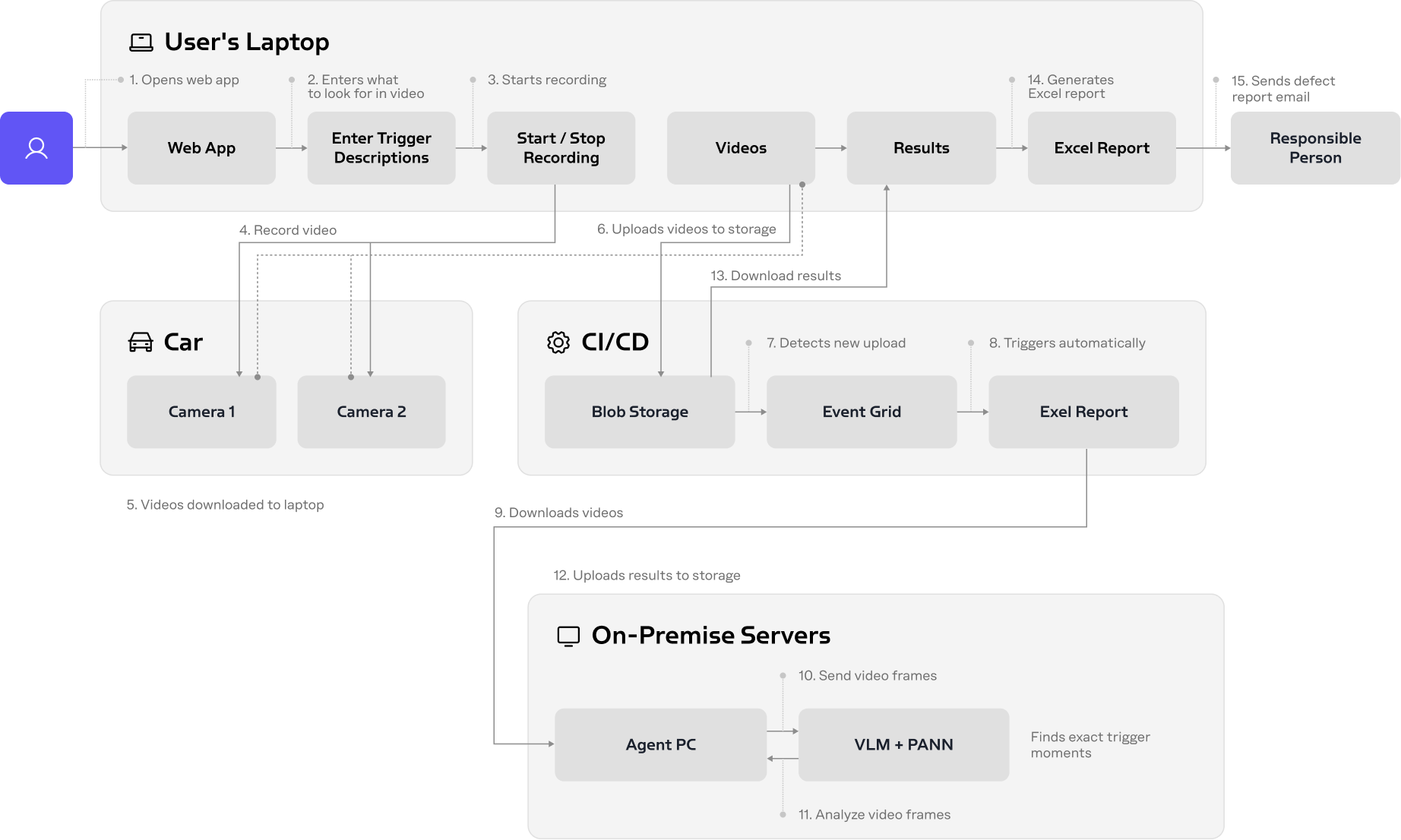
The Web App or command-line interface passes video files and YAML-based profiles to AnalysisRunner. The visual path extracts frames with OpenCV, applies the coarse-to-fine Analyzer, and queries a VLM through a local Ollama server. The audio path uses FFmpeg extraction, PANNs classification, and an LLM-based label mapper. The infotainment testing software orchestrator writes the final Excel result and can send a notification. Remote processing can use Azure Blob Storage as the exchange layer.